
AI tool selection
Before You Spend Money On An AI Coding Tool, Read This
A practical, first-person guide to choosing the first AI coding tool to try if you want to start building instead of getting stuck comparing subscriptions.
There are too many AI tools.
They all look impressive. They all have demos. They all say they can help you build faster. And most of them cost enough money that you do not want to pick the wrong one just to discover two weeks later that it does not fit what you actually need.
That was one of my first problems too.
I wanted to start building with AI, but I did not want to spend months comparing tools before I had even built anything.
So the practical question was simple:
Which AI coding tool should I pay for first?
Not forever. Not as a perfect answer. Just first.
You Are Not Buying A Chatbot
The first mental shift is this: you are not just buying a chatbot.
You are not even just buying something that writes code.
If you are trying to build a product by yourself, you are trying to buy help from a small product team.
That matters because a tool can be impressive at one job and still be frustrating if you need help across the whole path from idea to something usable.
- Product thinking: what should this thing actually do?
- UI/UX design: how should someone move through it?
- Coding: how does it become real?
- QA/testing: what breaks, what is confusing, and what needs to be fixed?
- Launch support: how do you get it ready for someone else to try?
- Content and marketing: how do you explain what you built?
The Tools I Looked At
The tools I paid attention to were the ones most people are likely to hear about when they first start looking around.
This is not a scientific benchmark. It is my practical experience while building Thoughtspace: custom websites, product pages, articles, a Chrome extension, and a mobile game that is still in progress.
The goal was not to crown the universal winner. The goal was to decide what I would start with if I were trying to get my feet wet today.
- ChatGPT / Codex
- Claude Code
- GitHub Copilot
- Manus
- Kimi
Why Marketing Demos Are Not Enough
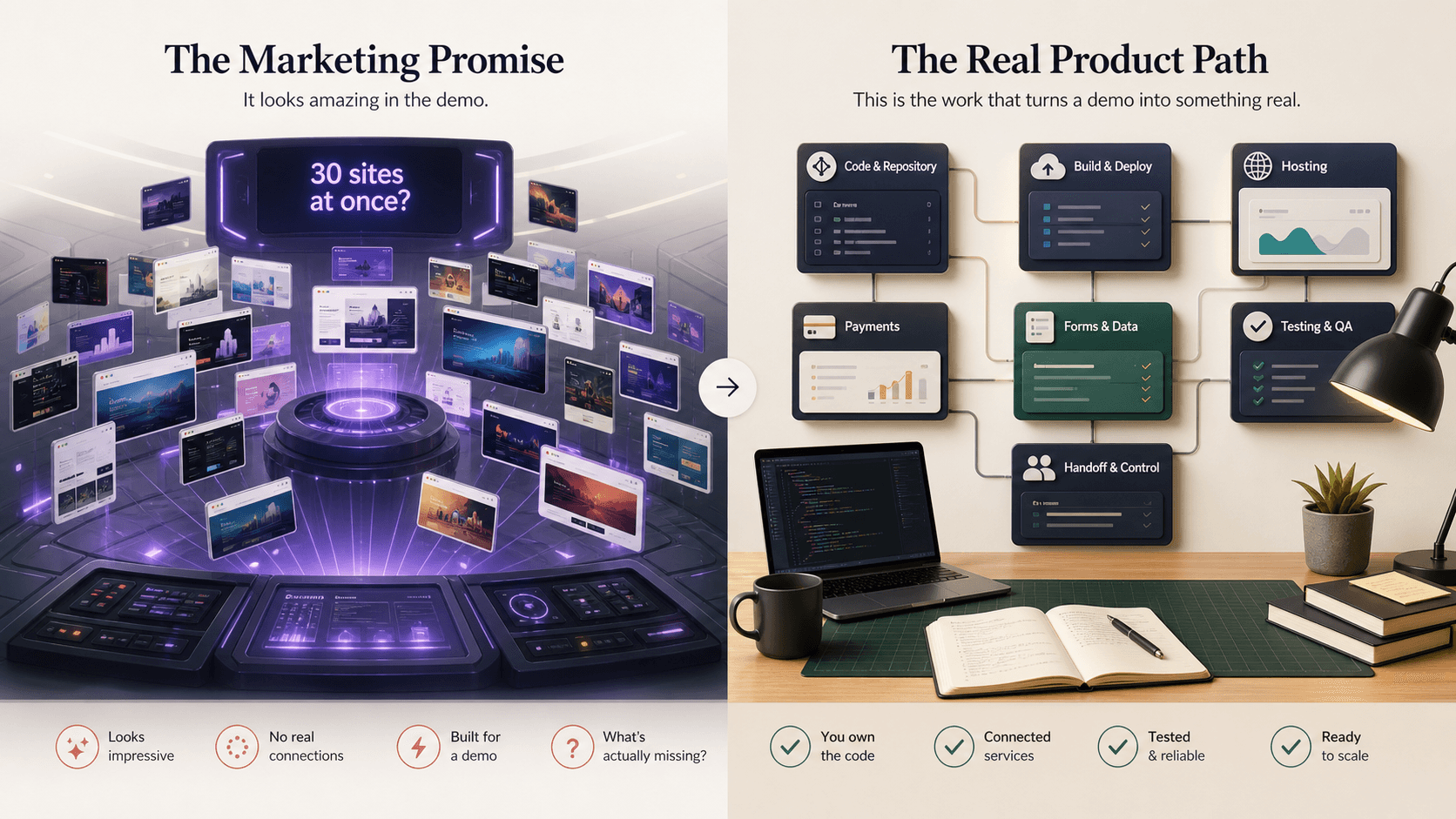
AI-tool marketing usually shows the best moment: the polished screen, the fast generation, the impressive before-and-after.
That is useful, but it is not the whole buying decision.
A demo can show you what the tool can produce in a good moment. It does not always show what happens when you come back tomorrow, ask for changes, hit errors, need testing, or try to turn the output into something you can keep improving.
That is why I care less about which tool looks most magical in a demo and more about which tool helps me keep taking the next step.
My Short Answer
If you are trying to do what I am doing, I would start with ChatGPT / Codex.
Not because it is the best at every individual task. It probably is not.
I would start there because it is the best jack-of-all-trades option for the kind of solo-builder workflow I am trying to create.
When you are one person trying to do the work of several roles, breadth matters.
My Comparison
This table is not meant to be a neutral feature matrix.
It is a buying-decision table for someone who wants to start building and does not want to get stuck in tool research.
AI coding tools as first starting points.
| Tool | Best-fit person | Strongest role it plays | What to watch out for | My verdict |
|---|---|---|---|---|
| ChatGPT / Codex | Solo builder who wants a jack-of-all-trades starting point. | Broad generalist across product thinking, writing, coding, images, QA thinking, deployment help, and overall workflow support. | It may not be the best at any one specialized task. Long sessions and complex projects still need supervision. | My starting recommendation if you want to try the path I am taking. |
| Claude Code | Engineer, technical founder, or serious builder who cares most about code quality. | Strong codebase-level coding agent: reading code, changing files, running tests, and iterating. | Watch whether it fits your full workflow if you also need images, content, research, and launch support in one place. Also verify current usage limits before you rely on it heavily. | Best alternative. If I were starting again with a more technical/code-first mindset, I would seriously consider starting here. |
| GitHub Copilot | Developer already living in GitHub, VS Code, and pull requests. | Natural extension of the GitHub/IDE workflow, with model choice and agent/PR features. | AI credits can get painful, especially with premium models, code review, and agent sessions. It may feel more like a developer platform than a beginner-friendly builder home base. | Great if you already work this way. Less obvious as the first tool for non-engineers. |
| Manus | Content creator, marketer, operator, or business user who values polished UX. | Polished front-end experience, creative workflows, image generation, presentations, and Meta-ads-oriented use cases. | Credits can disappear fast if you use it for serious coding or multiple build projects. | I would not start here if the goal is to build multiple apps or products. Better for polished business/content workflows. |
| Kimi | Visual/front-end experimenter who wants impressive first drafts. | Beautiful website/front-end generation and strong visual first impressions. | Serious availability and performance issues in my experience: overload errors, quota friction, and paid access still feeling unavailable too often. | I would not use it as my main tool until the performance and reliability issues are fixed. |
Why I Chose ChatGPT / Codex
Codex is not perfect. That is important to say clearly.
It can get messy in long sessions. It can lose quality when a project gets complicated. It still needs human judgment. My mobile game project has exposed plenty of weaknesses.
There have been times where it struggled badly.
But even with those problems, it kept me moving. That is what mattered.
I have used this workflow to build and improve custom websites. I used it to build a Chrome extension. I use it for articles, product pages, images, debugging, planning, and implementation. I am also using it on a mobile game, and even though that project has been difficult, it is still moving forward.
It is not the best specialist. It is the most useful starting teammate for the path I am taking right now.
My Recommendation
If you want the simplest possible starting point, I would do this:
- 1Pick one AI tool.
- 2Use it for one small project.
- 3Do not subscribe to five tools at once.
- 4Do not try to make the perfect decision.
- 5Build something small enough that you can actually finish.
- 6Learn from the problems you hit, then adjust.
A simple way to choose your first tool.
| Your situation | I would start with |
|---|---|
| You want to experiment with solo AI-assisted building across products, websites, content, and visuals. | ChatGPT / Codex |
| You are technical and care most about code quality. | Claude Code |
| You already live inside GitHub, VS Code, and pull requests. | GitHub Copilot |
| You mainly care about polished content, creative workflows, ads, and business operations. | Manus |
| You want beautiful website/front-end experiments and can tolerate reliability issues. | Kimi |
Closing
The first tool does not need to be your final tool. It just needs to be good enough to begin.
For me, Codex was the tool that helped me move from thinking about building to actually building.
In the next article, I will show the proof: how I used AI to build a Chrome extension proof of concept over a weekend, and what I learned when that quick experiment started turning into a real product.